Every source. One beautiful player.
YouTube Music, SoundCloud, YouTube and Spotify in one search. Listen together, send songs to friends, and see what everyone’s playing. Free, no ads, and your music stays yours.
For Windows, macOS and Linux. Free forever.
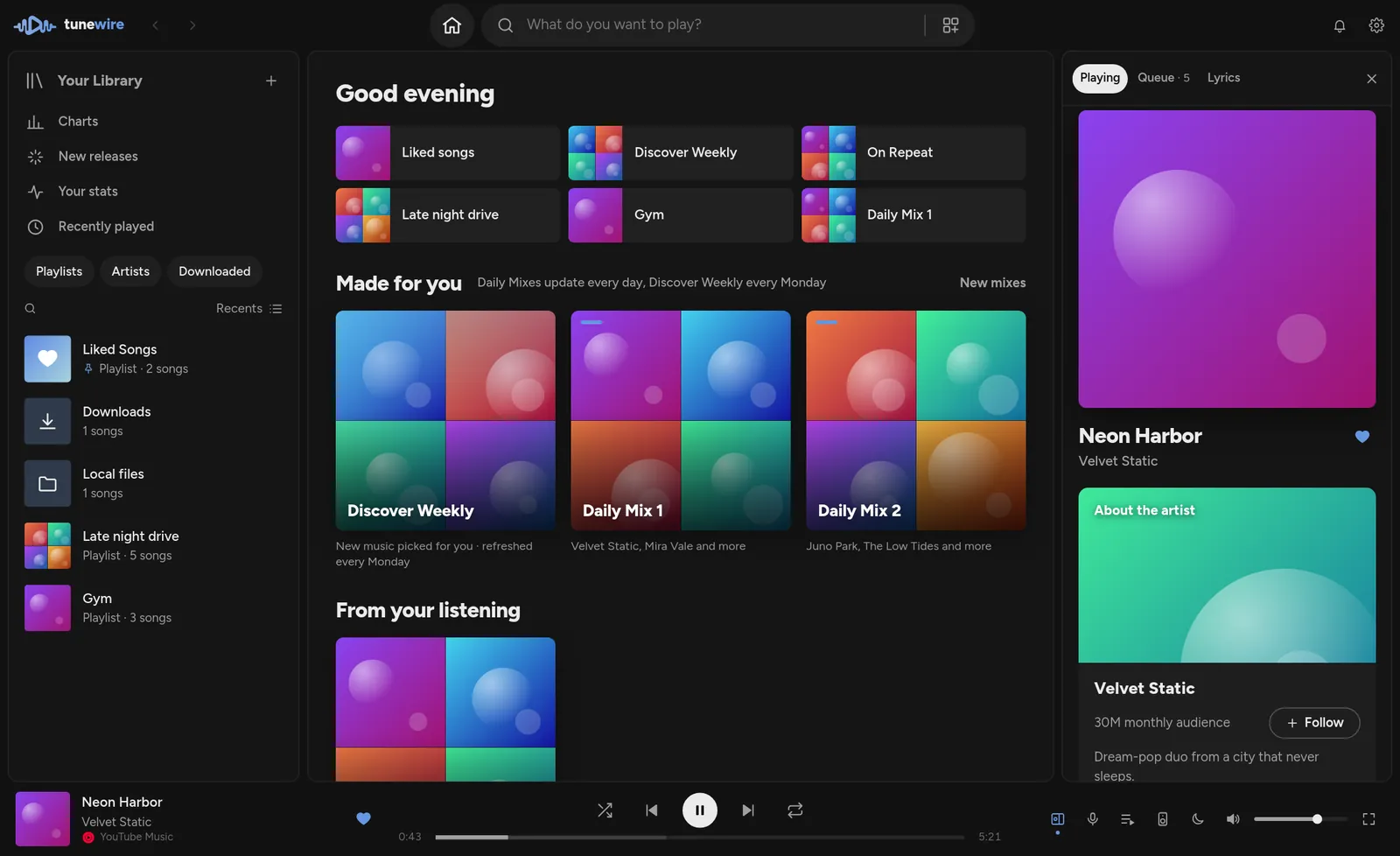
Every platform at once. The best version wins.
Type once. Tunewire searches everywhere in about half a second, folds duplicates into one song, and plays the version you prefer. Paste any link and it just plays.
- No accounts, no keys. It just works, from the first launch.
- If one source fails, the next one plays instantly.
- Your own files show up right next to everything else.
Same song. Same second. Wherever you are.
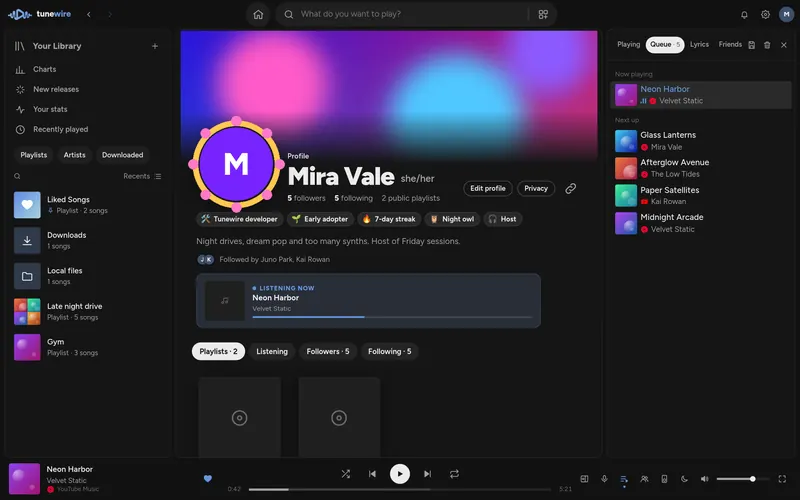
Start a session, send the link, and everyone hears the same thing. Chat, throw reactions, suggest songs, vote to skip. Or tap “Listen along” on a friend and follow their player.
- The host is in charge: approve suggestions, hand over, keep a room link forever.
- Collaborative playlists where everyone adds and reorders, live.
- Perfect sync on the server’s clock, with an indicator so you know.
Music is better with your people.
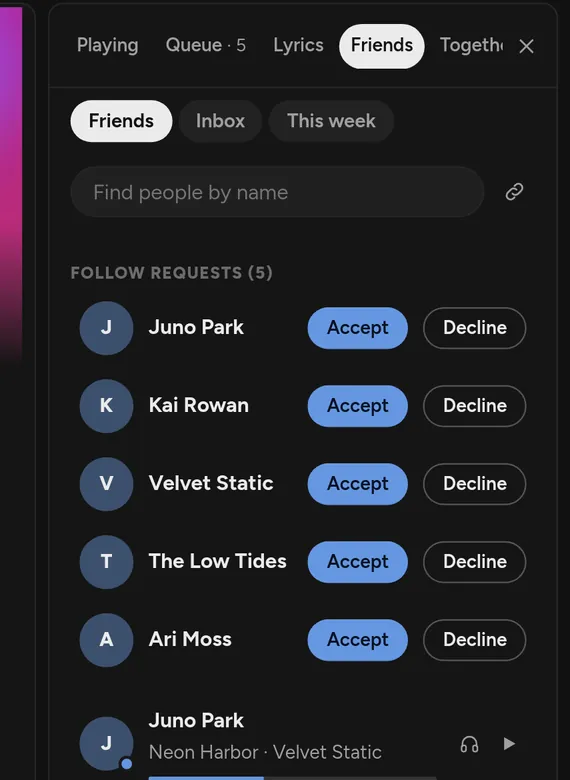
Profiles come straight from Discord, with your banner and avatar decoration. Add badges, what you’re playing right now, your top artists, and how well your taste matches.
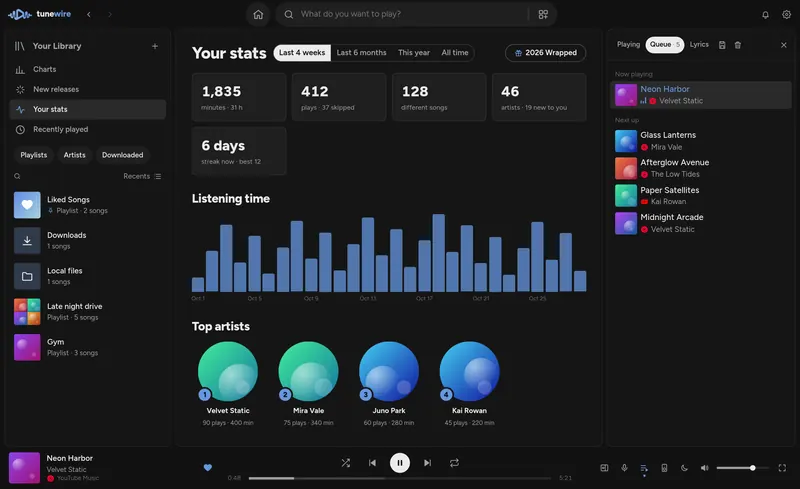
Your year in music, any day you want.
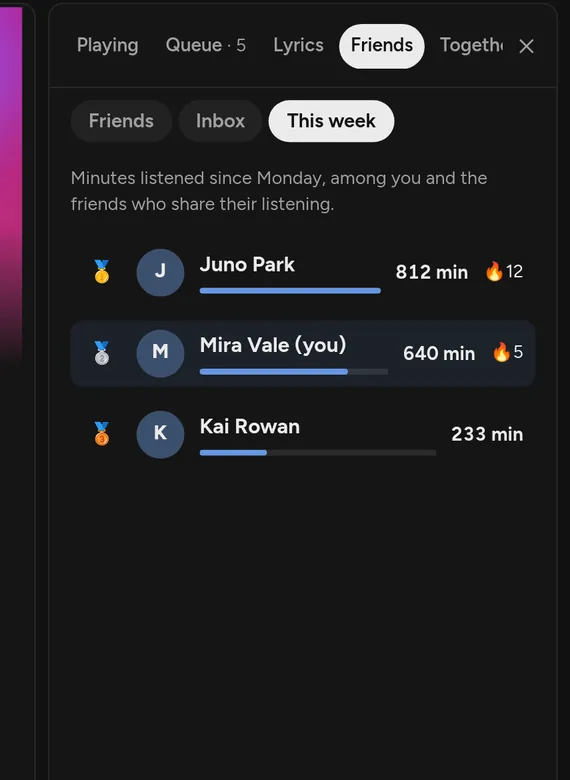
Minutes listened, top artists and songs, streaks and when you listen most, for 4 weeks, 6 months or all time. Wrapped turns it into a story with a share card, and you can compare with friends.
- Daily Mixes & Discover Weekly built from what you actually play.
- Scrobbles to Last.fm and ListenBrainz.
Made for people who really listen.
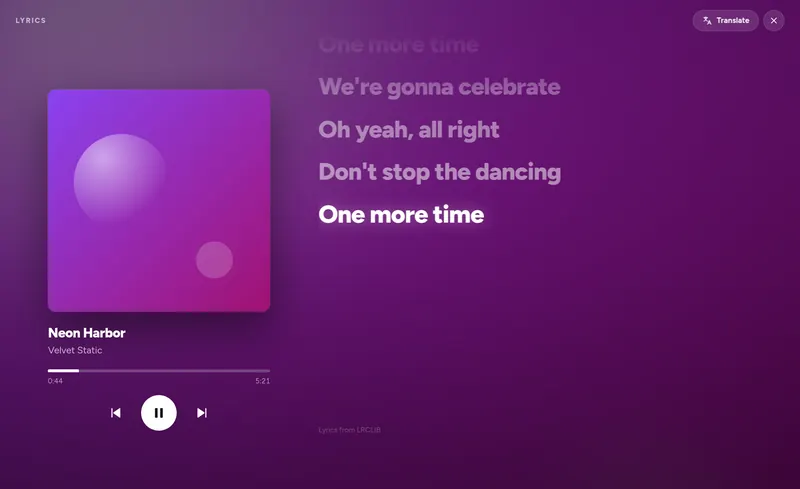
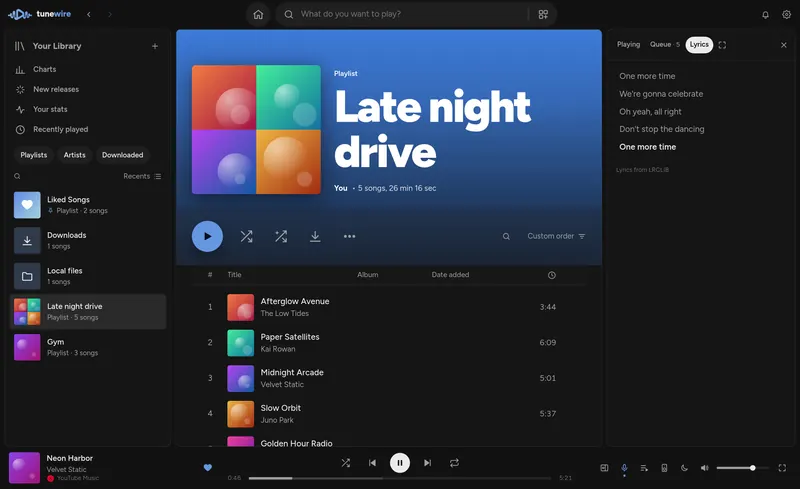
Synced lyrics, full screen
Lines light up as they’re sung, with the cover, controls and one-click translation.
Sounds right
Gapless playback, crossfade, loudness levelling and a 10-band equalizer.
Bring your Spotify
Liked Songs and every playlist, in seconds. No developer keys.
Themes & plugins
A gallery of themes and sandboxed plugins, or build your own.
Offline & local
Download songs and playlists, add your own music folders. Plays without internet.
Private by default
Your library lives on your computer. Friends need your approval to follow you, sharing is off until you turn it on, and error reports only go out if you say yes.
Fast, everywhere
Songs start in under a second, big playlists scroll smoothly. Media keys, Discord status, shortcuts for everything, and it updates itself.
Designed to disappear into the music.
Get Tunewire
Free, for Windows, macOS and Linux. Updates install themselves.
Windows
Windows 10 and 11. Installs in seconds, updates in the background.
macOS
Apple Silicon and Intel. The first time, right-click Tunewire in Applications and choose Open (it isn’t signed by Apple yet).
Tunewire is a desktop app.
Good to know
Is Tunewire really free?
Yes. No subscription, no ads, no premium tier. It’s open source on GitHub.
Where does the music come from?
From YouTube Music, SoundCloud and YouTube, plus your own files. Spotify songs play from the same recording elsewhere, or from Spotify itself if you have Premium.
Do I need an account?
No. Everything plays without one. Sign in with Discord only if you want friends, sharing, collaborative playlists and listening together.
What do friends see?
Only what you allow. People need your approval to follow you, and sharing what you play or your stats is off until you turn it on.
Can I move my library?
Yes. One backup file holds your playlists, Liked Songs, history and stats, and restores on any computer.